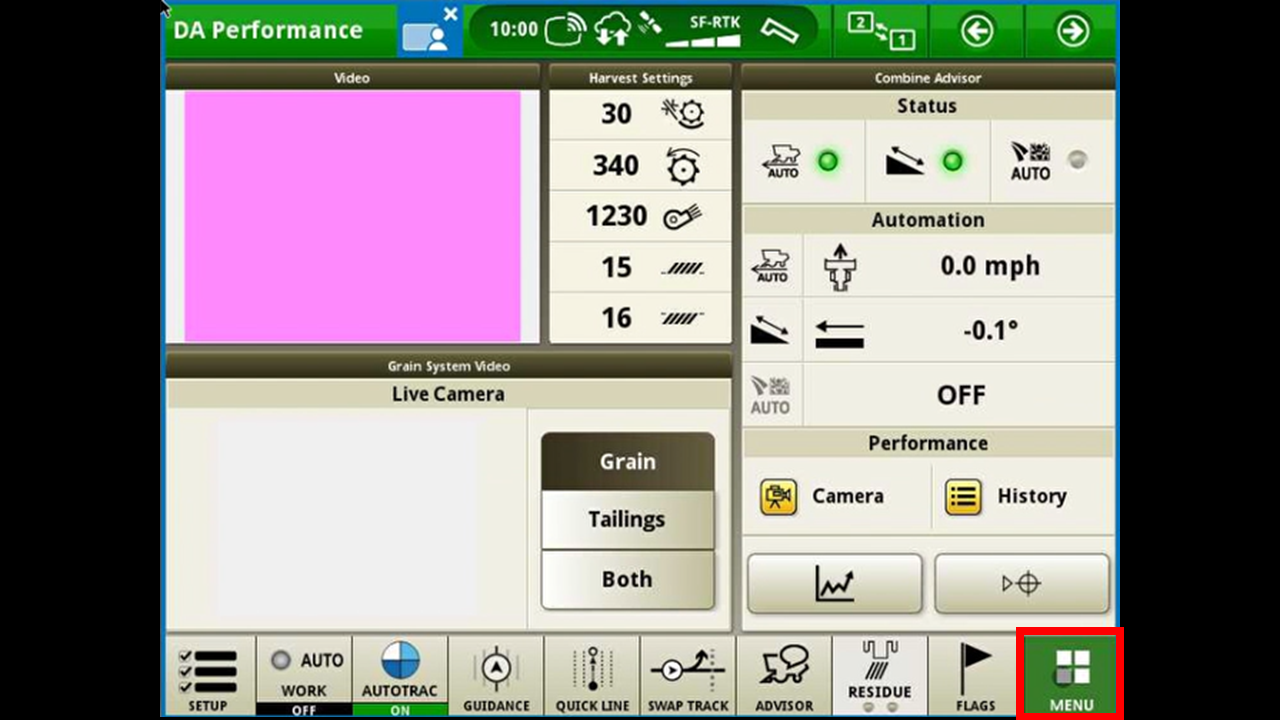
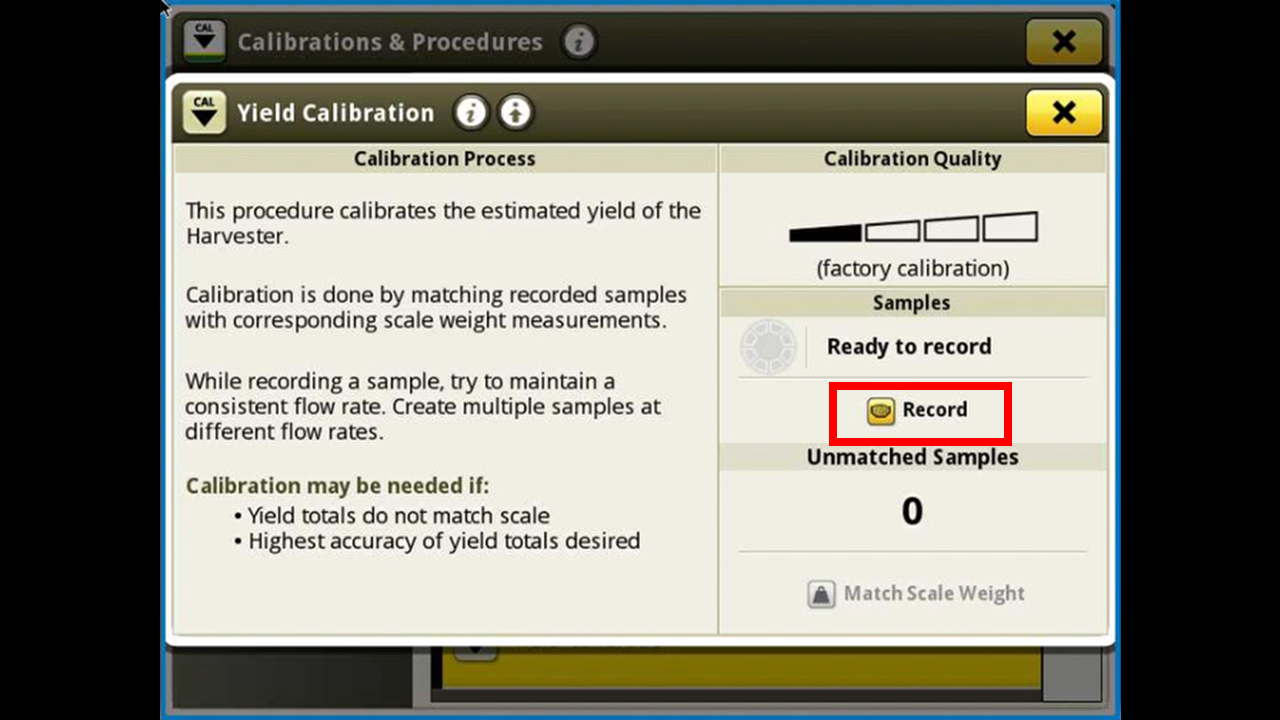
Press Harvest on the left side. Scroll down until you see Yield Calibration.
Press the record button.
With an empty grain tank press start.
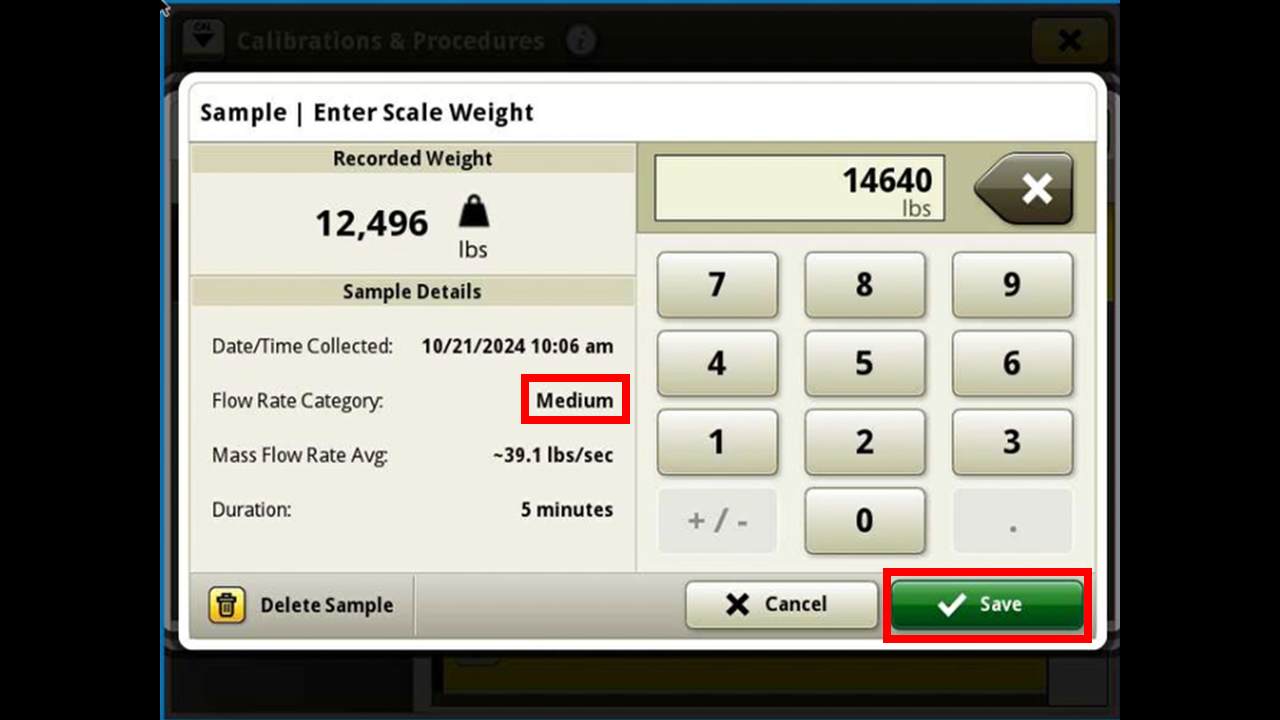
At this point you can start to harvest. You will want to keep your flow consistent. There are 3 stages or flow. Low, Medium, and High.
Once you have collected enough grain in your tank, recommend harvesting atleast 8000 lbs if possible. You can than press done.
It will return you to the yield screen to enter the actual weight that was weighed on a grain cart or scale. Press manual scale weight.
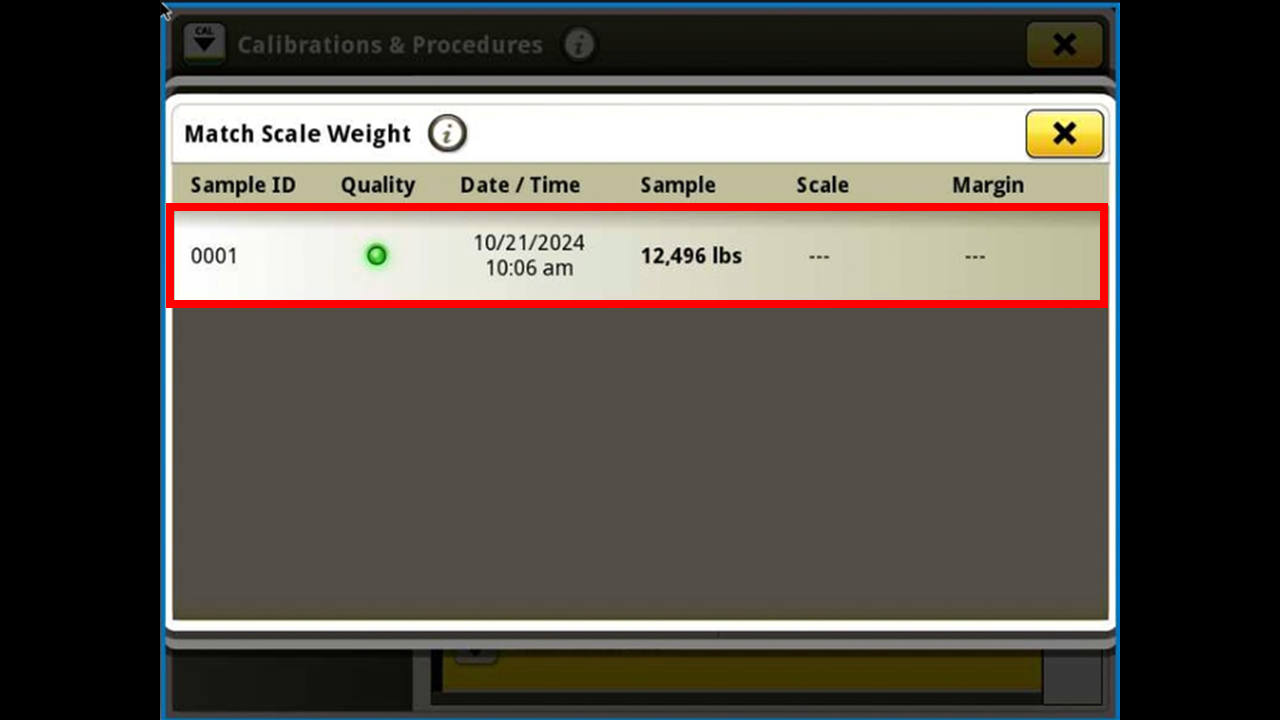
It will than show all the loads that you have done a calibration for. Press the one just collected.
Here it will than show some stats of the load and allows you to enter the actual weight that was weighed.
You will than see the calibration. The key to having a good calibration is doing this process 3 times, one for each grain flow stage. Low, Medium, and High.