Skip To Main Content
Digital Ag Innovation Lab
Research to Rows
Toggle Menu
Close Main Menu
Research to Rows
Home
Monitor Guide
Ag Leader Monitors
Case IH Monitors
Kinze Blue Vantage Monitor
John Deere Monitors
Precision Planting Monitors
Raven Monitors
Monitor Guide Inquiry
Resources
Combine Resources
UAS Resources
Planter Resources
Events
Digital Ag Event Registration
Education
PATCH
R2R Research Trials
About Us
Contact Us
Search
Submit Search
Gen 5 – Software Update
Once you have inserted your USB with the update installed. This window will prompt. Press install software.
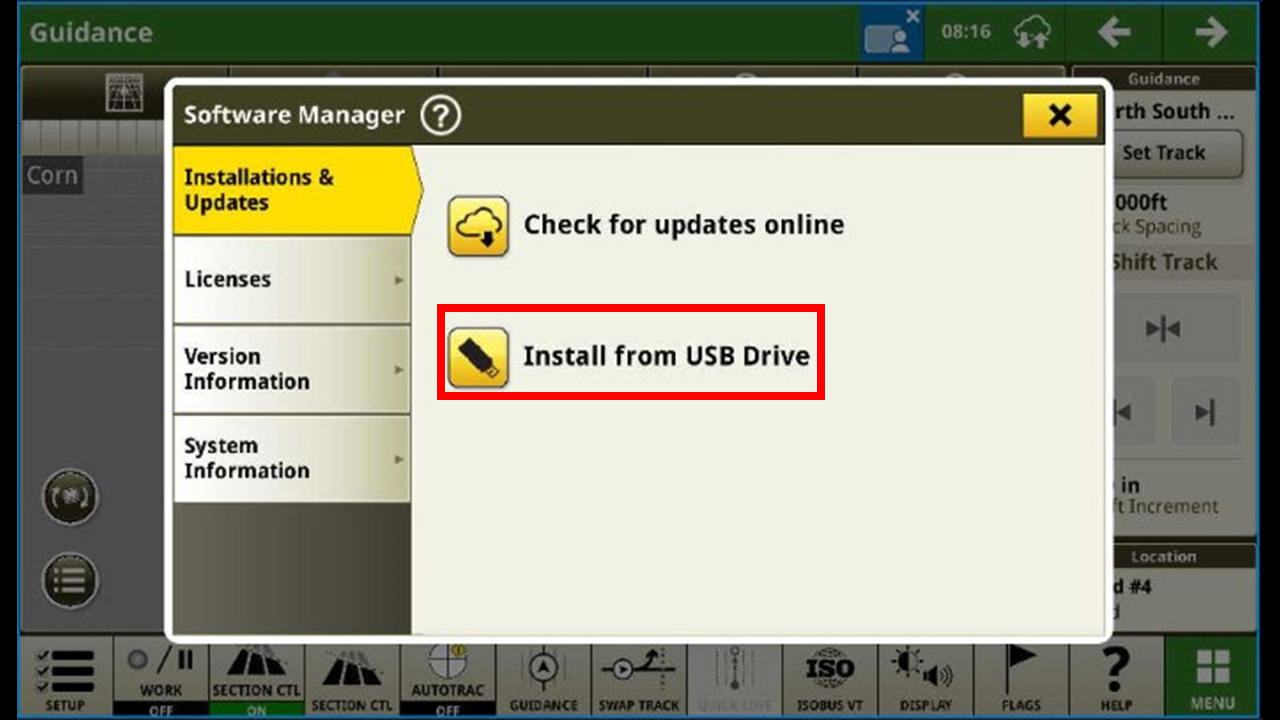
Press install from USB.
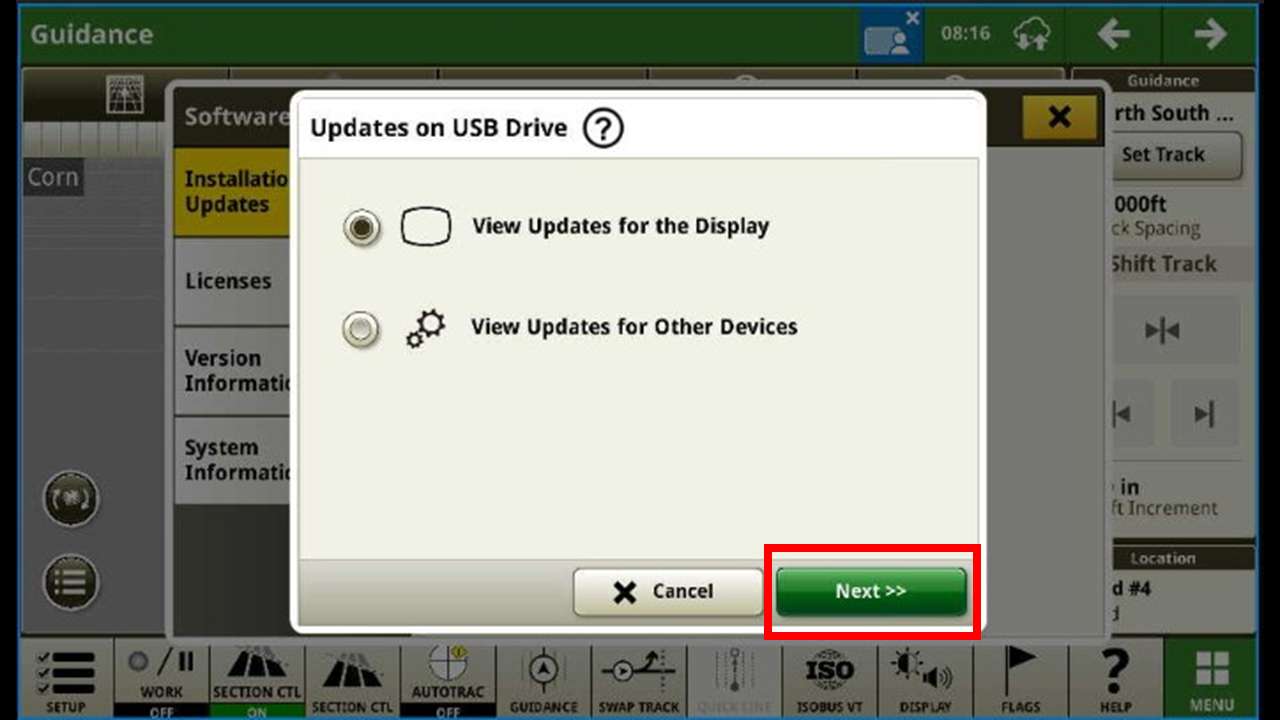
Press next.
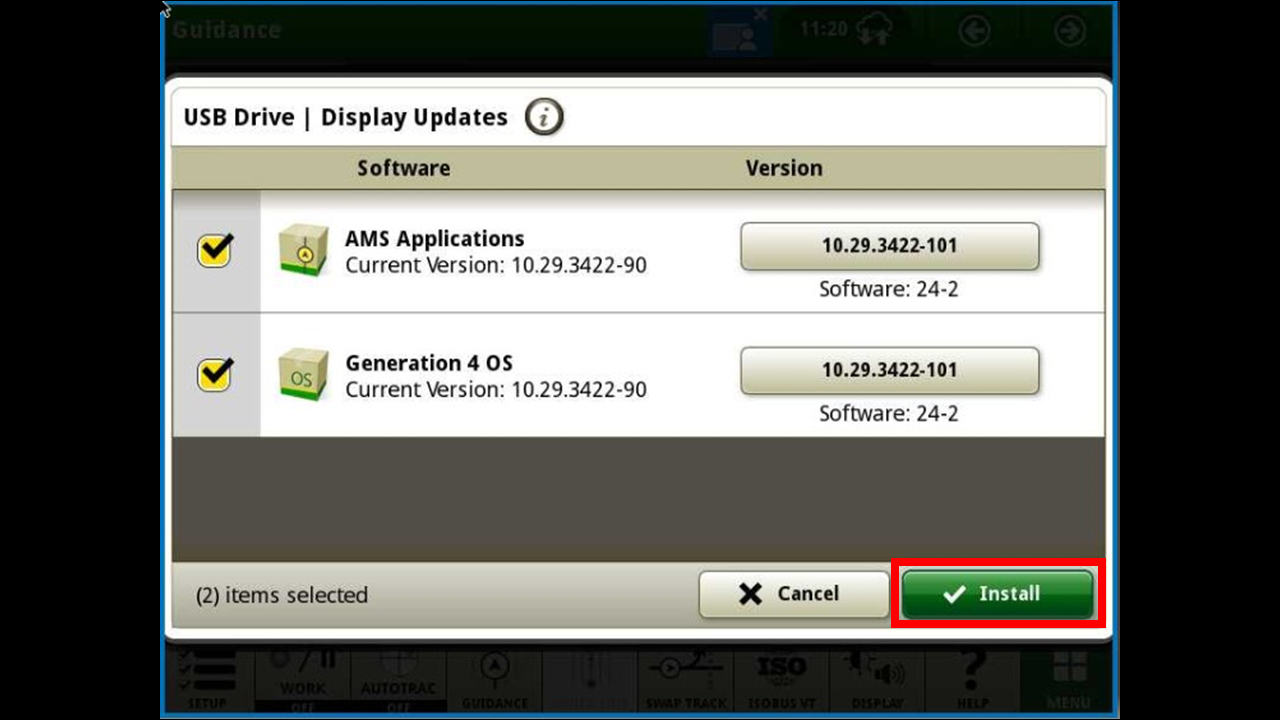
Make sure all boxes are checked and press install.
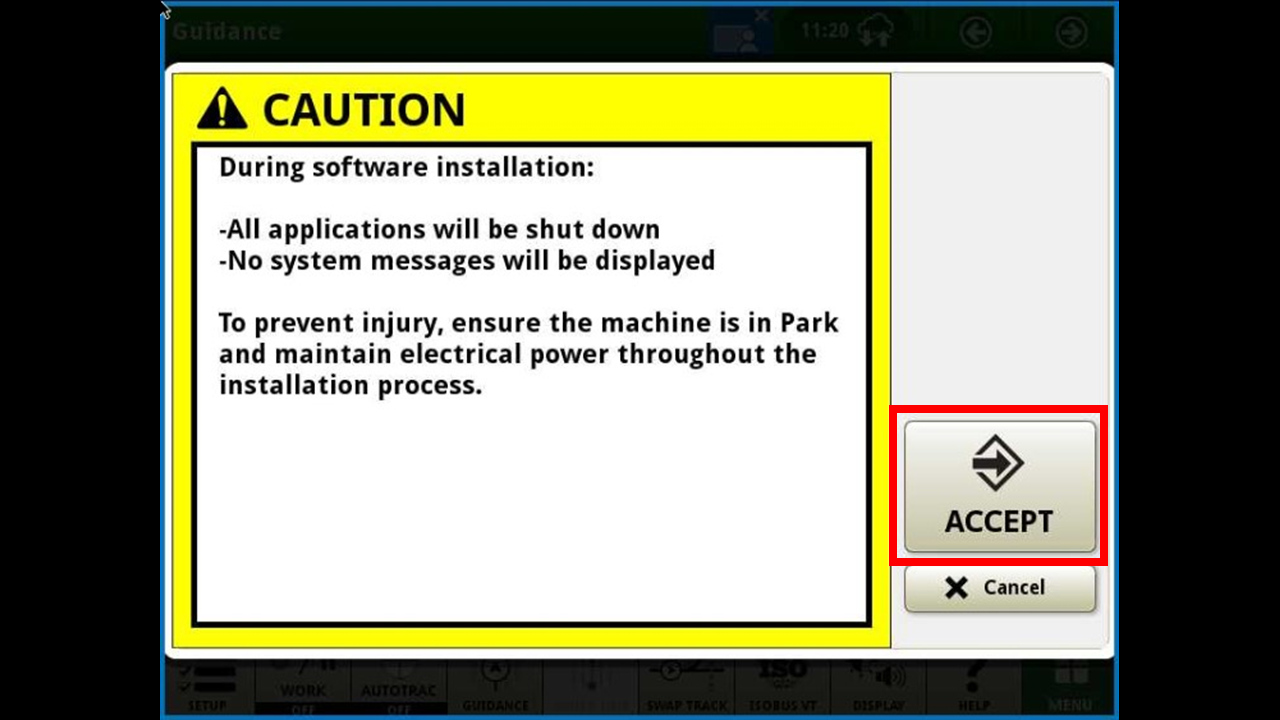
Press accept once more.
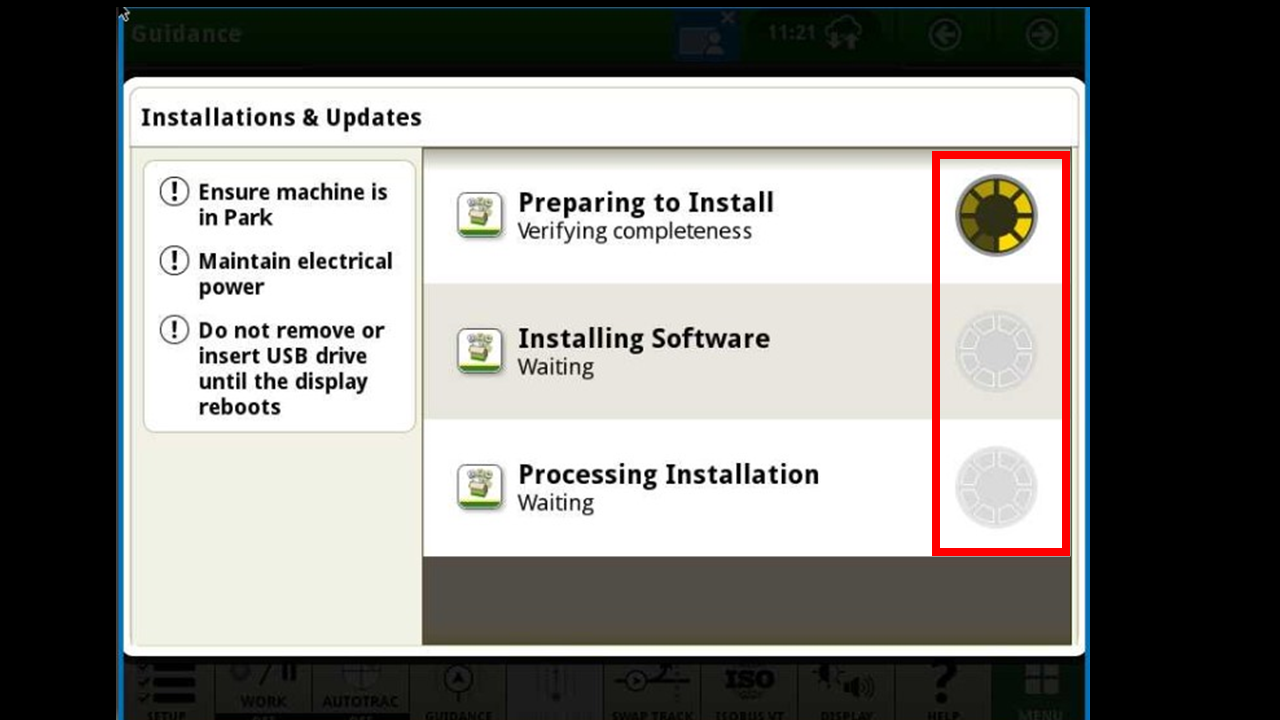
You will then be able to watch the progress of the update. Once it is completed it will cycle power on its own. DO NOT SHUT THE DISPLAY OFF.
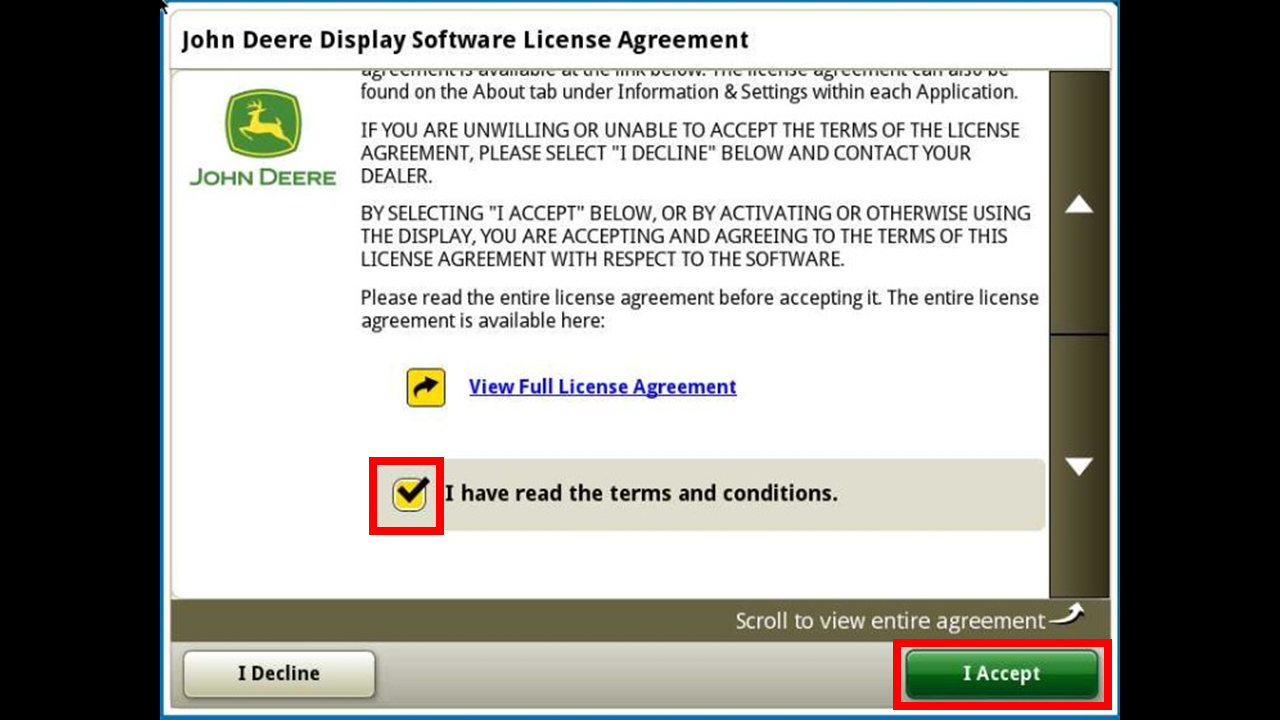
Once it has rebooted, check the agreement and hit "I accept". You have now updated your display.
Back

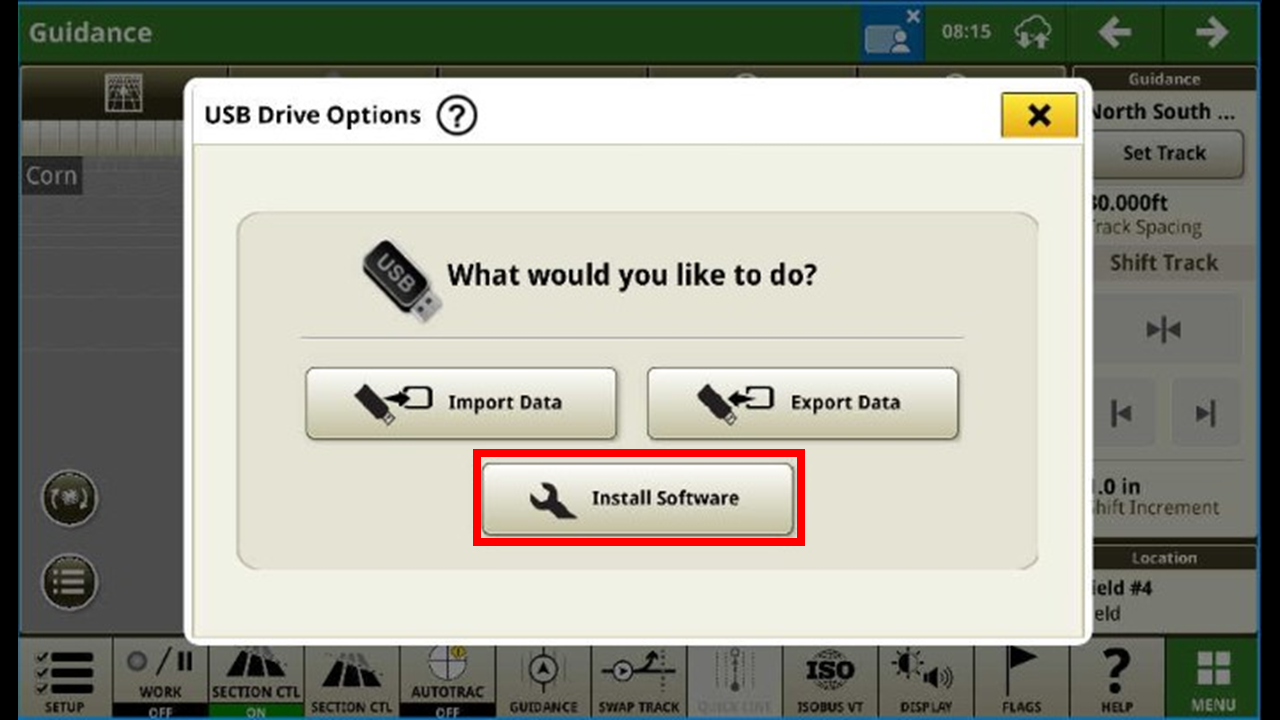 Once you have inserted your USB with the update installed. This window will prompt. Press install software.